Paid tickets and payments.
From choosing a paid tier to the ticket landing in an inbox.
This page follows the money and the ticket, from a visitor choosing a tier to a QR code landing in an inbox.
Activate payments first
Selling anything starts with activating payments, under Team settings > Billing > Payments. That is where you choose the currency your team bills and prices in, and it is chosen once. It cannot be changed afterwards, because your billing account is pinned to the currency of its first invoice and every order records money a buyer actually paid.
Until you do, free tickets work in full: guests register, get their QR code, and are scanned in exactly as described below. What waits on activation is money. You cannot put a price on a tier, record a payment or a refund against an order, import guests who already paid, or offer a payment method at checkout. See activating payments.
Free tickets
A tier priced at 0 skips payment entirely.
When nothing in the order costs money, the registrant still goes through checkout to enter their details, and the moment they submit, the registration is complete. The guest record is created, the ticket email goes out immediately, and they land on your confirmation page. There is no payment step, no card, and nothing for you to reconcile.
This is the whole flow for community events, meetups and free-entry shows.
Paid tickets
A tier with a price goes through a payment step, and how that step looks depends on how your team collects money.
Online, through your own payment gateway. Connect your own Xendit, PayMongo or Stripe account under Billing > Payment Methods and registrants pay by card or e-wallet without leaving the flow. A team collects through one online payment method at a time, so connecting a second means disconnecting the first.
- The registrant picks how many of each ticket they want (up to 10, mixing tiers if they like), continues to checkout, and fills in the billing contact and each attendee's details.
- They are handed off to the provider's hosted checkout page to pay.
- Whether they pay or cancel, they come back to their order page, which shows whether the payment has cleared.
- Once the payment is confirmed, the guest records are marked paid and the QR ticket email goes out.
The money goes straight into your own provider account: we never hold it. Online collection costs 3.5% of each ticket sold that way, and nothing else. Free tickets, offline payments and door sales carry no fee.
A fee is not owed the moment a sale happens. It matures once that sale has gone 15 days without a refund, and a sale you refund inside that window is never charged for. Matured fees are gathered onto one invoice a month and emailed to your team owner, payable within 15 days. There is no card on file and nothing is taken automatically.
Offline, on your instructions. Publish your bank details or wallet number under Billing > Payment Methods, which also waits on activation, and the registrant is shown them at the end of the form. Their order page is where they ask for a link to upload proof of payment. The registration then sits waiting for you: confirm it from the panel and the tickets go out, or reject it and the seats are released. Nothing is charged for offline payments.
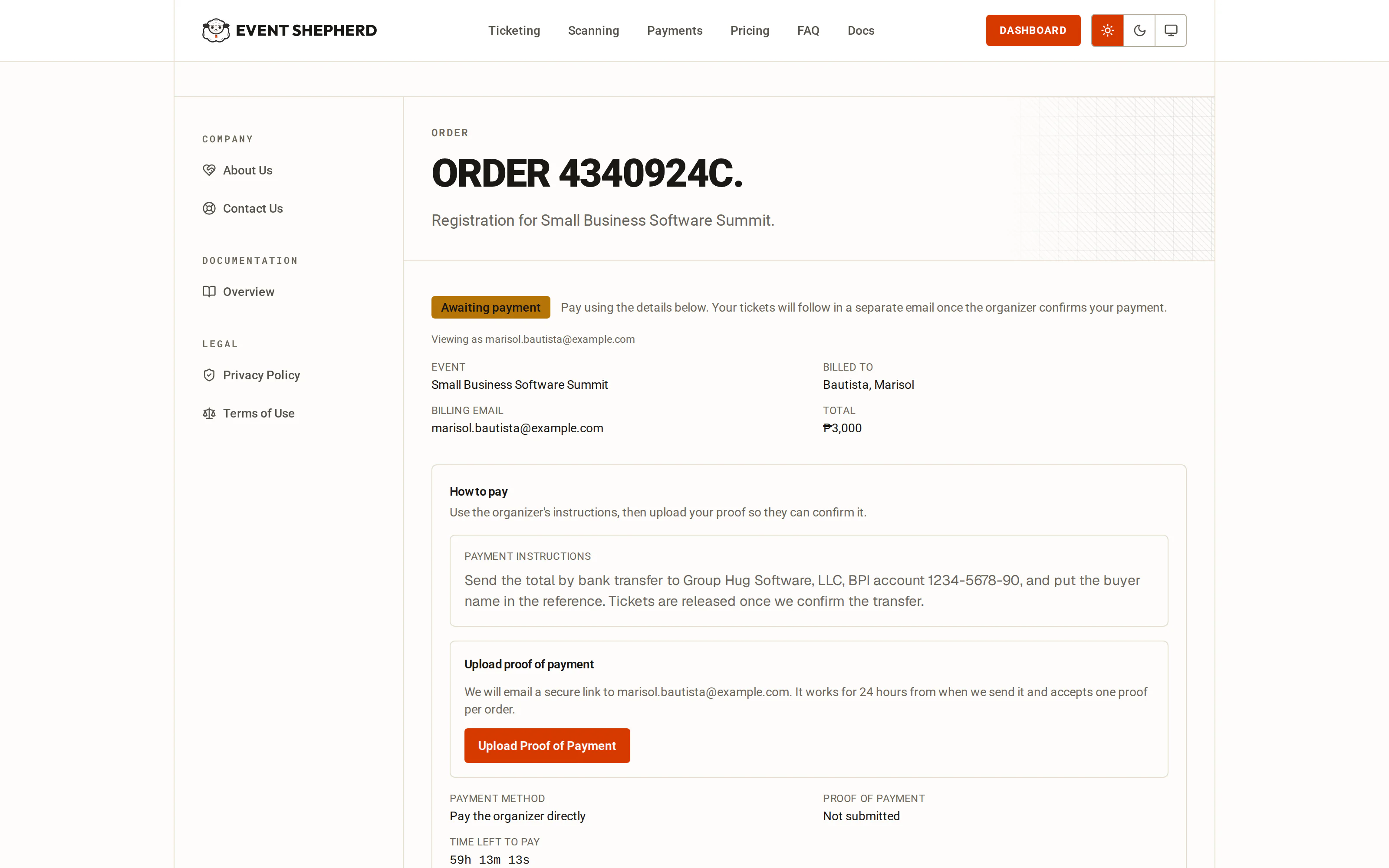
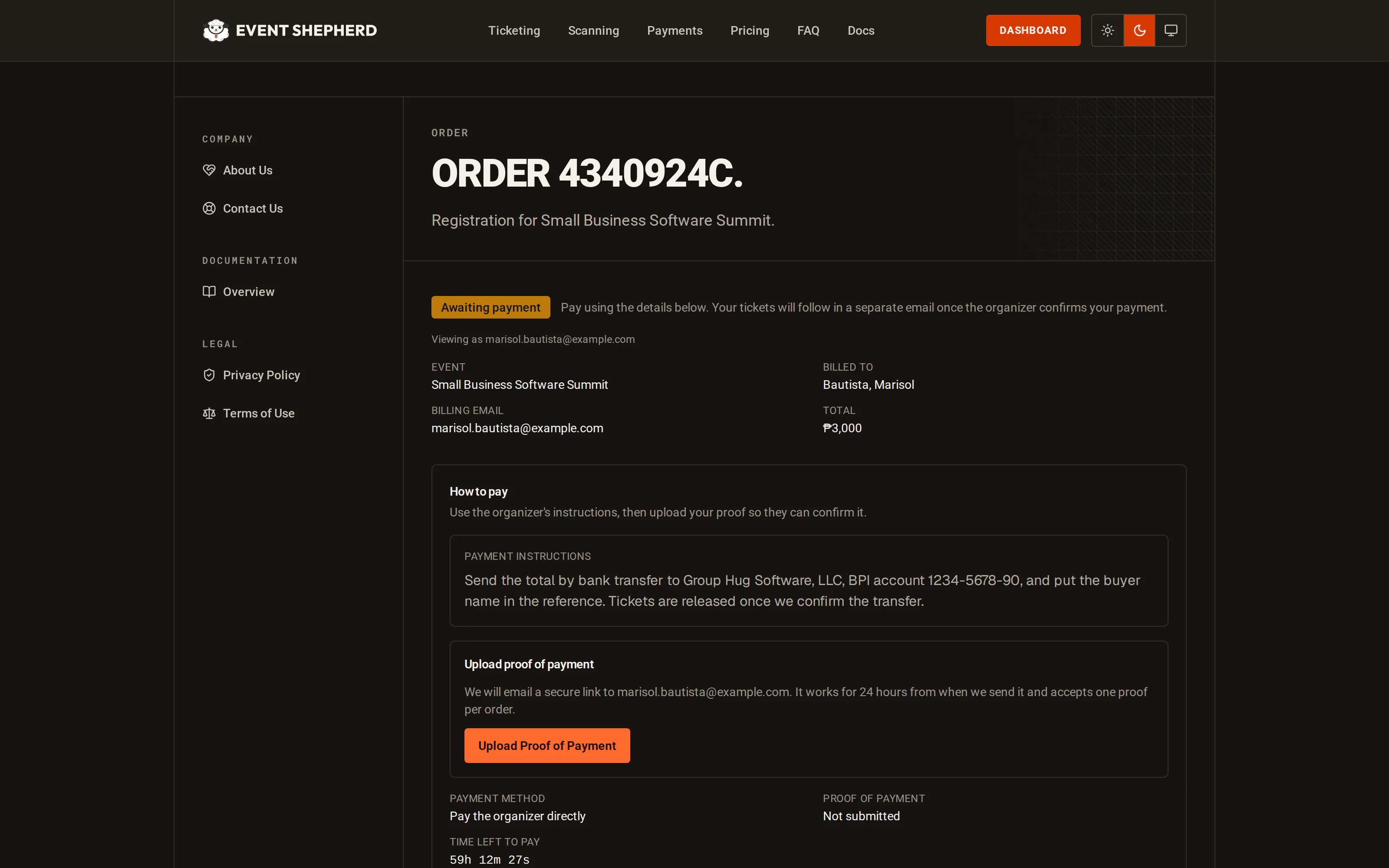
The important consequence in both cases: the ticket email is sent once payment is confirmed, not when the form is submitted. A registrant who abandons a checkout never receives a ticket. Their seats are held for 24 hours while the order is pending, then go back on sale.
If a platform invoice goes unpaid
An invoice left unpaid past its due date suspends your team's payments. Suspension closes new money: checkout stops offering payment methods and no new priced tickets can be sold. It never touches money already taken. Orders you have already collected can still be settled, tickets still go out, and refunds still work. Paying the invoice lifts it, without anything for you to press.
One billing contact, several attendees
A registration can cover more than one person. The person paying is the billing contact, and each person attending is an attendee with their own name, email and QR code.
That is why the guest list has both a billing contact and an attendee: one parent registering three children produces one payment and three guests, each of whom can be scanned in independently.
Registrations still waiting on money
A registration that has not been paid for sits as pending rather than being thrown away, and the registrant keeps a link back to it showing where it stands.
Registering again starts a separate order, even with the same billing email, and the first one keeps holding its seats until it expires. Ask buyers who think a payment failed to open the order link in their acknowledgment email before registering again, so they do not pay twice.
Pending registrations expire on a clock we keep, not the provider's. When one lapses we ask the provider to close the checkout behind it so it can no longer be paid. An offline payment expires the same way when nobody confirms it in time. Until a registration is paid, the seats it covers are not confirmed and no ticket is issued. Once it expires, those seats go back on sale.
If the money turns up late on an online sale, nothing is lost. A payment that arrives after the confirmation went missing, even one that lands after the registration has already expired, is picked up by the nightly reconciliation against your connected gateway, which settles the order and sends the ticket. That safety net covers online gateway sales only. An offline payment nobody confirmed has to be confirmed by hand from the Orders page.
Taking payment at the door
Not everything goes through the platform, and it does not have to.
Add the guest yourself from the guest list with Add Guest, recording the billing contact and payment details on the form. The guest is created on the tier you choose and gets a QR ticket like everyone else. That is the box-office flow: you take cash or a card in the room, and record the outcome.
The same applies to bank transfers, invoices and sponsor allocations. Whatever happened outside the platform, add the guest and the ticket follows.
Refunds
An event's Orders page is the record of money for that event: every payment taken and every refund made, per registration, with what is still outstanding.
Refunds are made from there. A registration paid online is refunded through your provider, so the money goes back the way it came; one paid offline is written down as a refund you made yourself, since the app never held that money. Either way the refund is recorded against the registration, and any platform fee on that sale that has not been invoiced yet is written back with it.
Two limits are worth knowing. You cannot refund an online sale from here while the gateway it was taken on is disconnected, because the refund has to travel back through the provider. And a refund you issue directly in your provider's dashboard is not written down here until the provider announces it to us, so refund from the Orders page and the ledger stays right on its own. There is more on both in refunds.
What you can see afterwards
The guest list shows the ticket tier and registration source for every guest, so paid registrations, imported guests and door additions are all distinguishable.
Dashboard ticket sales to date counts money taken across paid tickets, net of anything you have refunded. Free registrations do not move it.
Last reviewed October 7, 2026